The Arcane Relics (Unity) | Animator Trees
Setup animator trees, in addition to programming animation, for The Arcane Relics (Unity Version). I rebuilt this animator tree at least a few times as we were changing designs as we were developing. In addition to setting up the animator trees I was involved in setting up the avatar prefabs, including collider and ragdoll setup. This is a preview of the latest tree setup for the Unity version of TAR, which, if I remember correctly, is a little different than the latest alpha release.
~
TAR utilized Unity's Mecanim feature. We wanted retargeting as we had plans to use different sized characters, and the mirroring feature saved tons of time for characters that were left-handed or ambidextrous.
~
Game Link: https://niemi-bros.itch.io/the-arcane-relics
~
Contains models, textures, and animations created by Andrew Niemi: https://www.artstation.com/aniemibro
Locomotion animation preview. Notice the leaning with acceleration and direction changes.
Character and equipment models created by Andrew Niemi.

Parameters preview, along with the Base Layer's setup.
'Lefty Bool' is used for mirroring certain animations.

Blend tree preview for general locomotion.
There were quite a few blend trees setup in the entire animator tree.

Humanoid layer setup.
I always found the order counter-intuitive... Shouldn't the base layer be at the bottom?
Additive lean with changing directions, using mouse input for turning.

Upperbody animation layer.
Certain animations like blocking/defending would only need to override the upperbody as movement is not restricted.
Weapon drawn animation state. Player faces camera direction and uses strafing animations.
Defending uses the Upperbody animation layer to override normal upper body movement.

Override animation layer.
Certain animations such as an attack would need to override all other animation states. Typically, these animation states would restrict movement as well.
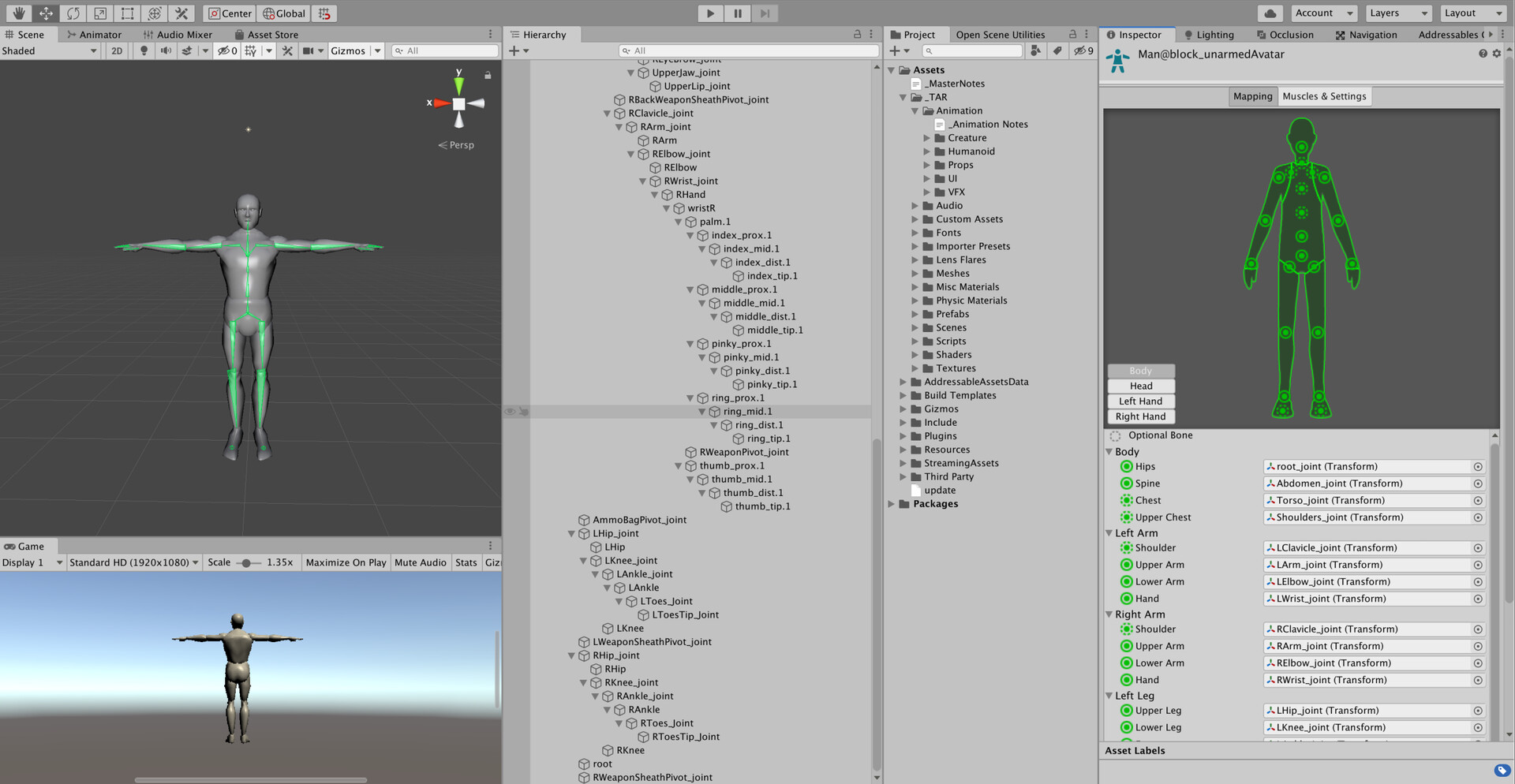
Generic character used for Mecanim setup.
Rig created by Andrew Niemi.

Testing out the setup

Preview of male avatar prefab with collider setup.
Colliders were used for ragdoll and for hit recognition from weapons. There were also punch triggers, the spheres on the end of the arms, that were used for attacking when unarmed.

Preview of ragdoll, which disables standard animation, with transition to getup animation in an older version of TAR.
Before getup, limbs interpolate to a pose at the start of either the prone or supine getup animation, then animation is re-enabled.